Give Your AI a PersistentMemory of Your Projects.
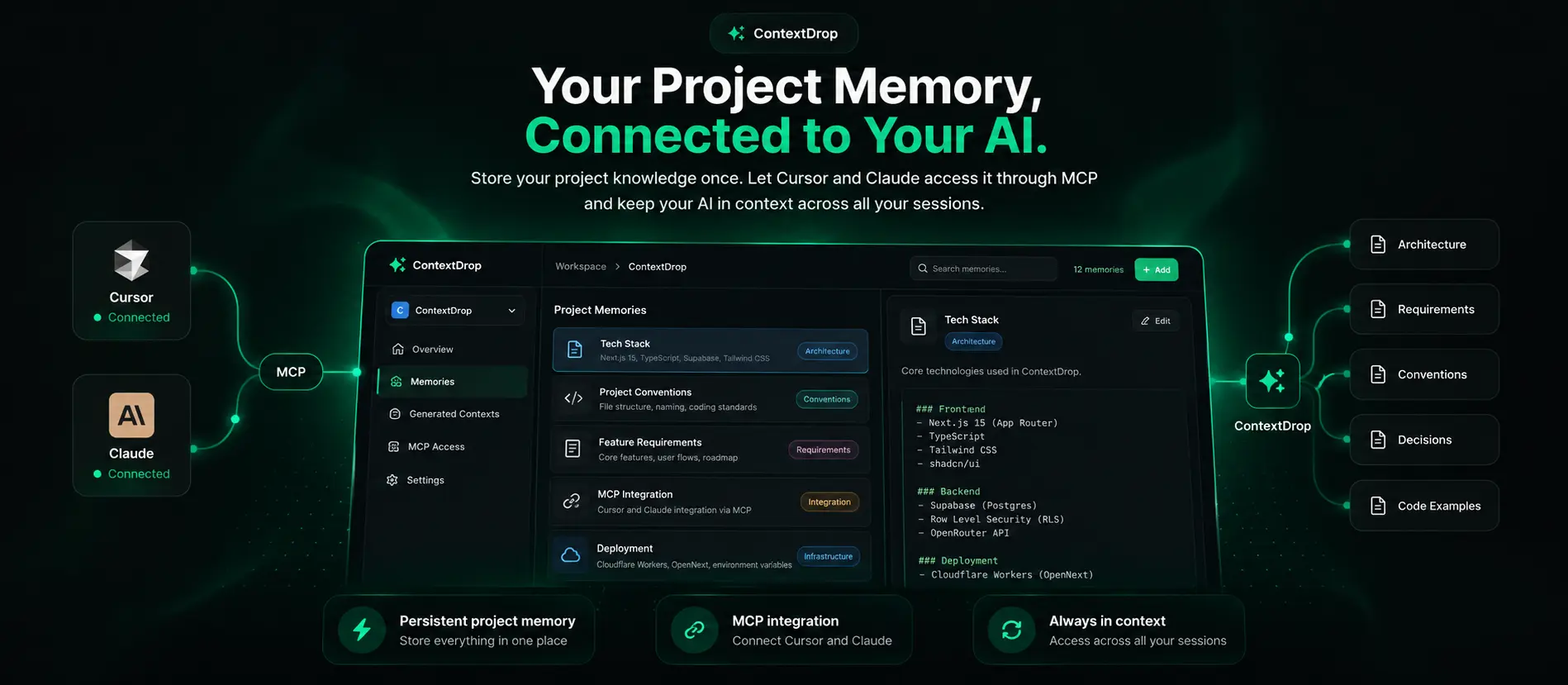
Save your project knowledge once and let AI access it whenever you need it. Connect Cursor or Claude through MCP and keep your architecture, decisions, requirements, and conventions available across your AI workflow.
See ContextDrop in Action
Why ContextDrop
Your AI shouldn't need to relearn your project.
ContextDrop gives your AI a persistent memory layer for the knowledge that matters — architecture, requirements, decisions, conventions, and project-specific context.
One project. One persistent memory.
Your workspace becomes the source of truth for your AI workflow.
How It Works
Build once.Let your AI remember.
ContextDrop turns your project knowledge into a persistent memory layer that your AI can access whenever you need it.
Create
Give your project a home.
Create a workspace for your project and keep everything related to it in one place.
Architecture
Next.js + Supabase
Conventions
TypeScript + Tailwind
Requirements
MCP integration
Remember
Store what your AI needs to know.
Save architecture, requirements, decisions, conventions, and other project knowledge as reusable memories.
Connect
Put your AI in the loop.
Connect Cursor or Claude through MCP. Your AI can then access the project memory you have already built.
ContextDrop
Project Memory
Workspace → Memory → MCP → AI
Set it up once. Keep your AI in context.
Get Started
Give Your AIthe context it needs.
Set up your project memory once, connect your AI through MCP, and keep your project knowledge available across your workflow.